


Showing posts with label math. Show all posts
Showing posts with label math. Show all posts
August 17, 2021
Absolute Zero: Making Math Mastery Fun! {Product Review}

October 29, 2019
Channie's One Page A Day: 2 Digit Multiplication Practice {Product Review}

About Channie's Workbooks
Channie's Visual Handwriting & Math Workbooks was first created as a way to help the owner teach her own son. He was struggling learning handwriting and nothing was working for him. So Channie created a visual handwriting system and it worked like a charm! Now she has over 15 products available and they are being carried in many major retailers like Walmart, Hobby Lobby, and retail stores across 25 states! Something cool about the product--it's MADE IN THE USA!October 23, 2019
Smartick~ A Math Program They Will Ask to Do {Product Review}
 Math is one subject that I NEVER have to cajole my youngest son to do. He will EAGERLY grab his books when it's time for math. Yeah, he's a bit weird. LOL. He loves combining his regular curriculum with online math resources. When we had the chance to review a subscription of Smartick, he was ready and willing to get started! Today I'm going to share how our review of the online math program went--and why we will continue to use it throughout the rest of our subscription period!
About the Product
Smartick is an online math resource that instructs and reinforces mathematic principles, logic, and reasoning through interactive and engaging games and activities. The program is designed to address your child's individual needs--looking beyond their age and grade. The program adapts to your child's learning style and they will improve their skills in just 15 minutes aOctober 14, 2019
Brain Blox Fun Family Chess~ Making Chess "Easy Peasy" to Learn! {Product Review}

About the Product

September 17, 2019
Online Times Alive from City Creek Press {Product Review}

About the Product

August 20, 2019
Exploring CTCMath with Elementary and Middle School {Product Review}

About the Product

June 27, 2019
Matific Galaxy ~ Encouraging Math Mastery Through Games {Product Review}

About the Product
Matific Galaxy is an award-winning, fun and engaging online learning program. It has hundreds of curriculum aligned mathematics
May 23, 2019
Typing Tournament Online and Math Invaders Online from EdAlive {Product Review}

About the Product
February 21, 2019
IXL Learning~ An Online Resource for Practicing K-12 Skills {Product Review}

About the Product

IXL Learning is a comprehensive online resource for grades K-12 to use as a supplemental program to check on skills in Math, Language Arts, Social Studies, Science, and Spanish. While not a complete curriculum, it can be used as a practice or review resource to see how your children are doing in different areas within these subjects at their grade level.
September 25, 2018
Strengthen Math Skills with I Know It {Product Review}

About I Know It
July 11, 2018
Math Refresher for Adults {Product Review}

Scenario #2: You are homeschooling your child, but aren't strong in math and worry about being able to teach it and help them with it.
Scenario #3: You are returning to college, and will have to take a math placement test.
In each of these scenarios, it would be awfully nice if there was a way to give yourself a crash course review on the main math concepts! Well fear not! I have been reviewing Math Refresher for Adults from Math Essentials and I can say without hesitation that if you can identify with any of these scenarios, you NEED to read my review of this book!
April 23, 2018
A+ Interactive Math: A Program that Identifies and Closes Learning Gaps in Math {Product Review}

Math is one of the only subjects where I wouldn't mind if the boys had assessments every year for homeschool. Why? Because it would be nice to know how each year how they are doing in their respective grade level work based on a third party review. When I first learned about A+ Interactive Math (by A+ TutorSoft Inc.) and their Adaptive Math Curriculum Online and Individualized Lesson Plan program, I was very interested and eagerly asked to review this product. I used it with my oldest son at the time at the end of his third grade year--and it was very revealing to how he was doing in math based on a standard third grade math assessment. Now here we are again with a chance to review the same product--THIS time I am using it with my younger math loving child. We've been using three different math curriculum because he just loves math--but I'm always afraid that he's got a hole somewhere that I don't know about. Thus, having HIM work through the 2nd grade math assessment was just what I needed as we wrap up our 2017-2018 year! Would the test find any holes? This is what I hoped our review of this product would find--and I was curious to see if any of my cons from the previous review had been addressed.
October 18, 2017
Strengthen Reading Skills with Reading Eggs {Product Review}

About Reading Eggs
Reading Eggs is an online reading resource designed to boost your child's skills in reading and reading comprehension. With the online reading games and activities, reading will be a FUN
October 9, 2017
Take the Stress out of Math with CTCMath {Curriculum Review}

About CTCMath

October 3, 2017
One Page a Day: Double Digit Math Problem Workbook {Product Review}

About Channie's Visual Handwriting & Math Workbooks
June 7, 2017
K5 Learning ~ Online Assessments and Lessons for English and Math {Product Review}
The links on this blog and in the posts may be affiliate links. Please see my disclosure policy for full details and thank you for your support!
As a homeschooler living in a non-testing for homeschoolers state, there isn't the pressure to have my boys at a certain level academically. BUT, as a mom who does want to make sure they are on track I have always wondered where they would fall. I haven't yet given them any grade testing, but had considered it for the future. Enter our review of K5 Learning's online program.

 K5 Learning is an online program for grades K-5th that offers free assessments of English and Math skills, as well as lessons and worksheets in English, Math, and Spelling. The program was designed to provide parents with the best of education software that is used in schools throughout the US. Many game based learning
As a homeschooler living in a non-testing for homeschoolers state, there isn't the pressure to have my boys at a certain level academically. BUT, as a mom who does want to make sure they are on track I have always wondered where they would fall. I haven't yet given them any grade testing, but had considered it for the future. Enter our review of K5 Learning's online program.

About K5 Learning

February 7, 2017
Times Alive: Making Learning Times Tables More Fun {Product Review}
I am always seeking ways to make learning fun, and one of the main places that needs fun, is math. My husband and I believe that it's important for our boys to have some basic math facts memorized, but getting them in our boys heads is where it can get tricky. Can you find a way to memorize math facts--like the multiplication tables and still have it be fun? Enter my review of Times Tables the Fun Way and their online program Times Alive.

 Times Alive is an online program providing online lessons with animated songs and stories to learn times tables the fun way. Times Alive teaches the times tables from 0 to 9, and includes even coloring pages to help reinforce the stories. With cute animation, clever stories to offer audio and visual learning techniques--the program is easily perfect for all types of learners. Scattered periodically in the program are reviews and quizzes to check that the lessons are being understood. Lessons can be repeated at any time if something isn't sticking.
Times Alive is offered as a monthly online subscription of $9.95/month with a one-time $6.95 installation fee. It can be accessed on any computers as it is through an online website, and can be used for different kids in the home as long as they log in the same way on the same computer each time.
A progress report is available to the parent at any time, which will show the child's progress through the lessons as well as their scores and completion times for each quiz.
This program works with all operating computer systems. Times Alive will work on iPad if you have a FLASH app like Photon--but when the student logs out, all progress will be lost.Times Alive online will not work on any mobile devices that do not support flash programs.
We were given a 3 Month Subscription to Times Alive through Teaching Times Tables the Fun Way to use with my boys ages 6 and (almost) 11.
At this point, you simply click on the lesson you want to start on--a brand new log in will start at a "show what you know" kind of test which records your answers to 0-9 times table problems. Once completed, the child simply hits "next" to be taken to the next lesson. As you can see from the lesson list, the times tables aren't taught in order exactly. They do jump around, but that doesn't really matter.
My youngest got started and he was hooked right from the get-go. He kept asking for more and more time. I think he did the first three or four lessons all in one sitting and reluctantly quit when his time was up. My oldest was the same--loving it right from the start.
I found the "music video" songs to reinforce the lessons very...hokey. But the boys were fine with them, so I just...left the room. LOL. I especially liked the reviews that were scattered throughout the course which always were inclusive of past and current lessons. When it came to the final test, my oldest requested that I print it out for him. It was nice to have that option for EACH of the quizzes.
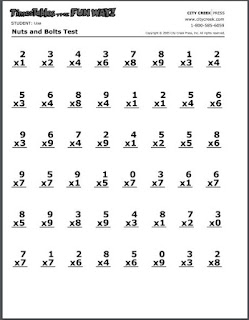 Now this doesn't record the completion time, but it would be easy to calculate that if you wanted to. My youngest preferred to do all of his work online. it took him a bit longer--and the program would tell him that he was taking too long--and that he needed to review earlier lessons--yet it still let him keep on working through the quizzes.
The program was very good for us--they loved being able to just spend an agreed amount of time on the program and would help each other out with remembering the stories. They rarely remembered the songs--but they usually could work together to remember the math stories.
Cons?
Just a couple things I wanted to mention.
#1 You HAVE to make sure of a couple things on your browser in order for the program to remember your child's progress:
a. All cookies are able to be saved.
My browsers are set to clear some data at the end of each logging in. I don't like to save all my history. Unfortunately, my settings made it so that the progress reports cleared out the minute we quit or closed the browsers. This happened several days before I finally figured out the issues. Once I change my settings, we didn't have the problem any more.
b. You must use the same browser on the same computer each time.
It doesn't matter if you log in with your parent information on a different computer--your child's progress won't be saved. You have to use the same browser and the same computer each time.
c. The log-in name has to be exact
If you use all lower case the first time--you have to do it the next time. If you use all caps the first time, you have to do that every time. It must be the exact name each time.
This was actually pretty frustrating. It seems like that with a log in subscription, it shouldn't have to be so exact. I don't like to have to keep changing my cookies settings just to use this program. I also wish that my boys could use ANY computer and have it save their work in our subscription account. It's something that I consider pretty major, because of the frustration it caused.
#2 The stories don't...go together?
This is much more of a personal preference. But I think it would have been MUCH easier to remember each of the math stories, if each number character was the same thing. But a 6 in one story meant something TOTALLY different in every single other story with a 6. That requires more effort for the child to keep them straight. My boys had a tricky time remembering some of the characters in the stories because of this, so each story had to be learned as a separate entity, where the characters meant different things.
#3 You can't SEE what they get wrong on a test, just their overall score and completion time.
If I am sitting with them, I can look when they get their results. Or the boys would usually TELL me what they missed. But if I wanted to go back and look when they worked on them independently, I could not see the actual problems. This would be nice to know where to direct their focus--which times tables are they not quite getting.
Okay, now let me share the boys thoughts.
Little Britches says, "It was easy to understand. I didn't really love it. But I didn't not like it. It was okay and I didn't mind doing it."
Baby Britches says, "I liked the songs best. And the stories. I just liked it."
LOL. So I guess you could say they thought it was--good, but not great.
The real question...did it work? Did it makes learning the times tables easier?
Yes....and no.
 The boys DEFINITELY picked up some new things to help them remember times tables but they can't remember all of the stories, because they found a few of them a bit more tricky to remember. That being said, I found the most VALUABLE trick was in regards to the lesson on the 9's. My boys can now remember how to do the 9's using EACH of the two methods that was taught--I was thankful they taught the fingers trick and the adding the product digits trick. In fact they have taught several different times tales using fingers which is great, because they will have THOSE with them forever! (hopefully!)
Today I decided to see how they did by running through multiplication flash cards at breakfast. We just made a game where they both came up with their answer and on the count of 3 shouted it. It was interesting to see that if one couldn't remember, the other offered up a story to help--BUT it wasn't usually a story from Times Alive--rather a different times table story they had learned previously. So even though this was the MOST RECENT multiplication story tool, it isn't the one they remember the best. That is why I say it didn't necessarily made things easier to remember--BUT, perhaps if it was the FIRST multiplication story tool they had learned it would be...I don't know. It did help for the times tables that they DIDN'T already have stories for. I can simply say "bigfoot" for my 6 year old and he can remember the answer to 6x3 or I can say "dirty pig" and he can remember the answer for 8x4. Like wise I can remind my oldest by saying "high jump" and he can remember 6x7. So I think they remember ENOUGH of the stories to find their answers. My youngest liked it enough to want to review some of the stories he doesn't quite remember--and with our subscription he can easily do this.

If you would like to learn more about the company or stay up to date on any sales or promotions they might have you can follow them on Facebook and YouTube.
I hope you will join me tomorrow (2/8/2017) at 1:30 EST where I will be hosting a Facebook LIVE video to briefly chat about the program.



About Times Alive

Times Alive is offered as a monthly online subscription of $9.95/month with a one-time $6.95 installation fee. It can be accessed on any computers as it is through an online website, and can be used for different kids in the home as long as they log in the same way on the same computer each time.
 |
| Clever stories to help remember the facts |
 |
| Reviews right after the lesson on the facts learned |
 |
| A progress report from my 6 year old. You can see his scores and lessons that he has completed. |
We were given a 3 Month Subscription to Times Alive through Teaching Times Tables the Fun Way to use with my boys ages 6 and (almost) 11.
Our Thoughts
The program was easy to get set up once log in information was received. Once I did a standard log-in, we got to the welcome screen. From here a child can log in. This is simply where they enter whatever name they want their work saved as--noting the EXACT way they did their log-in in order to retrieve their progress at the next log in. Once logged in, they arrive at the basic lesson list screen that shows all the work that will be done during the program. |
| This is what my son's log in looks like now that he has worked through the program. |
My youngest got started and he was hooked right from the get-go. He kept asking for more and more time. I think he did the first three or four lessons all in one sitting and reluctantly quit when his time was up. My oldest was the same--loving it right from the start.
I found the "music video" songs to reinforce the lessons very...hokey. But the boys were fine with them, so I just...left the room. LOL. I especially liked the reviews that were scattered throughout the course which always were inclusive of past and current lessons. When it came to the final test, my oldest requested that I print it out for him. It was nice to have that option for EACH of the quizzes.

The program was very good for us--they loved being able to just spend an agreed amount of time on the program and would help each other out with remembering the stories. They rarely remembered the songs--but they usually could work together to remember the math stories.
Cons?
Just a couple things I wanted to mention.
#1 You HAVE to make sure of a couple things on your browser in order for the program to remember your child's progress:
a. All cookies are able to be saved.
My browsers are set to clear some data at the end of each logging in. I don't like to save all my history. Unfortunately, my settings made it so that the progress reports cleared out the minute we quit or closed the browsers. This happened several days before I finally figured out the issues. Once I change my settings, we didn't have the problem any more.
b. You must use the same browser on the same computer each time.
It doesn't matter if you log in with your parent information on a different computer--your child's progress won't be saved. You have to use the same browser and the same computer each time.
c. The log-in name has to be exact
If you use all lower case the first time--you have to do it the next time. If you use all caps the first time, you have to do that every time. It must be the exact name each time.
This was actually pretty frustrating. It seems like that with a log in subscription, it shouldn't have to be so exact. I don't like to have to keep changing my cookies settings just to use this program. I also wish that my boys could use ANY computer and have it save their work in our subscription account. It's something that I consider pretty major, because of the frustration it caused.
#2 The stories don't...go together?
This is much more of a personal preference. But I think it would have been MUCH easier to remember each of the math stories, if each number character was the same thing. But a 6 in one story meant something TOTALLY different in every single other story with a 6. That requires more effort for the child to keep them straight. My boys had a tricky time remembering some of the characters in the stories because of this, so each story had to be learned as a separate entity, where the characters meant different things.
#3 You can't SEE what they get wrong on a test, just their overall score and completion time.
If I am sitting with them, I can look when they get their results. Or the boys would usually TELL me what they missed. But if I wanted to go back and look when they worked on them independently, I could not see the actual problems. This would be nice to know where to direct their focus--which times tables are they not quite getting.
Okay, now let me share the boys thoughts.
Little Britches says, "It was easy to understand. I didn't really love it. But I didn't not like it. It was okay and I didn't mind doing it."
Baby Britches says, "I liked the songs best. And the stories. I just liked it."
LOL. So I guess you could say they thought it was--good, but not great.
The real question...did it work? Did it makes learning the times tables easier?
Yes....and no.
 The boys DEFINITELY picked up some new things to help them remember times tables but they can't remember all of the stories, because they found a few of them a bit more tricky to remember. That being said, I found the most VALUABLE trick was in regards to the lesson on the 9's. My boys can now remember how to do the 9's using EACH of the two methods that was taught--I was thankful they taught the fingers trick and the adding the product digits trick. In fact they have taught several different times tales using fingers which is great, because they will have THOSE with them forever! (hopefully!)
Today I decided to see how they did by running through multiplication flash cards at breakfast. We just made a game where they both came up with their answer and on the count of 3 shouted it. It was interesting to see that if one couldn't remember, the other offered up a story to help--BUT it wasn't usually a story from Times Alive--rather a different times table story they had learned previously. So even though this was the MOST RECENT multiplication story tool, it isn't the one they remember the best. That is why I say it didn't necessarily made things easier to remember--BUT, perhaps if it was the FIRST multiplication story tool they had learned it would be...I don't know. It did help for the times tables that they DIDN'T already have stories for. I can simply say "bigfoot" for my 6 year old and he can remember the answer to 6x3 or I can say "dirty pig" and he can remember the answer for 8x4. Like wise I can remind my oldest by saying "high jump" and he can remember 6x7. So I think they remember ENOUGH of the stories to find their answers. My youngest liked it enough to want to review some of the stories he doesn't quite remember--and with our subscription he can easily do this.
Would I Recommend This Product?
Yes---and no. LOL. As I said above, there are some things that I DON'T like about the program--mainly that it won't remember your progress unless you have certain cookie settings, having to use the same computer and browser every time, and having to have the exact log in. BUT if you are looking for a one-size fits all method to learn all the times 0-9, want to be able to use it with all your children, and want to be able to see their progress, then this would work perfectly. And the cost makes it okay--especially since you can cancel your subscription at any time.Want to Know More?
We have spent the last month reviewing Times Alive from Times Tables the Fun Way in an effort to help memorize our times tables. You have seen our thoughts on the program, but why don't you see what my fellow crew members had to say about it!I hope you will join me tomorrow (2/8/2017) at 1:30 EST where I will be hosting a Facebook LIVE video to briefly chat about the program.


October 2, 2016
5 Educational (but FUN!) Gift Ideas for Under $20 {2016 Gift Guide Series}
This is the time of year when most of you are starting to think really hard about gifts. Perhaps it's for the upcoming holy day or holiday season, or for all those end of the year birthdays that roll around. Maybe you just want to start stashing some goodies for next year! If you are like me, you like gifts that aren't just frivolous, but actually have a benefit to the child's brain. Another plus might be a game where ALL the family can enjoy playing, even the kiddos under age 10. Instead of just reaching for the always a winner choice of books or LEGOS, why don't you give these Top 5 Educational (but FUN!) Gift Ideas for Under $20 a look over, and see if one might be just right for you!

The links on this blog and in the posts may be affiliate links.
Please see my disclosure policy for full details and thank you for your support!

Let me begin by saying that all of these items are things that are what my own family uses and loves, I don't just recommend things that haven't been tried and loved yet! :)
August 1, 2016
Another Peak at CTCMath~ {Curriculum Review}
The first year we were blessed to be on the Schoolhouse Review Crew, we discovered CTCMath (you can read my first review). It came at a time when my oldest (8 at the time) was struggling with math and me as his teacher. CTCMath revolutionized math for our classroom and was the perfect match to my auditory/visual learner. My youngest, however, has been doing excellent with workbook style math over the course of his Kindergarten year, so I didn't use CTCMath for him. When I had a chance to review the CTCMath Homeschool Membership with my youngest, I was curious to see how HIS learning style would work with this program.

Depending on the level of the math subject, each video is followed with either online questions or an optional printable worksheets. Each answer to online questions is logged and answers are given immediately! The answers are stored so each student can see their progress!
Membership to CTCMath grants you access to every level of math from Kindergarten to Sixth, Basic Math to Calculus and Trigonometry! This allows students to fill in the gaps in their learning at any level--which means you can focus on specific lessons.
CTCMath Homeschool Membership offers a monthly, 6 month and 12 month plan. There are single student plans and family plans. The best deal is for the 12 month plan...especially the 12 Month Family Plan on sale right now (as of the date of this posting 8/1/2016) for just $118.80. This plan is good for 2 or more students (up to 10!). That's unlimited access to unlimited levels for all the school age students in your family.
The Kindergarten program has the following topics:
*Numbers, Patterns, and Algebra
*Measurement
*Space & Geometry
*Statistics & Probability
The routine is simple: Pick a grade. Then pick a topic. Then pick a category. Then pick a lesson.
 Here is an example of a lesson page:
 There are five lessons in the Numbers 2 category. You can also see that there are three options for Diagnostic Tests depending on what you want your child to complete. Once your child begins a lesson, they now start earning percentages for a certificate. They can earn Bronze, Silver, Gold, and Platinum. Platinum can only be earned by maintaining a 100% in all lesson questions. For the longest time, Little Britches didn't want a platinum because he knew Gold was the best. LOL. Now he understands and tries to get them, but doesn't achieve them very often. You can access your child's list of awards on your parent dashboard in their profile. You can print out a certificate for each one they get--which actually gets emailed to you notifying you of their success.
The math lessons are very simple. You simply click on any from the list and you will have a new screen opened which has a video lesson and then a tab for the questions. You can make your video full size and there is also the option for a printed version of the lesson. The lessons are 2-7 minutes long depending on the grade and topic with colorful characters and a lovely narrator. My boys love listening to it because he's Australian. LOL


Once the video lesson has been completed, you student can begin their questions. They are a mix of fill in the blank, drag n drop, and multiple choice. It is an interactive format.
Once the questions are completed you get your results and have the option to print results or do more questions. We have a rule for my oldest that if he gets 100%, he doesn't have to do anymore, but if he gets less than 100%, he has to do them UNTIL he gets a 100%. My youngest has to get a 90% or higher and that's enough. We just talk about what he missed. Once the first set of questions have been completed, the lesson will be marked as completed on the list. This pattern continues for all the lessons on the site.
Something new to CTCMath is a place in the parent dashboard where they can ASSIGN lessons/tests. This was not available when we reviewed the program before but something that many of us asked for (yay!).
 Here you can pick a date, title it, add in the description, decide if you want them to do things in order, and then add lessons or tests. You can also add recipients--so if you have two kids working in the same grade, you can add BOTH of them to the recipients for the task at the same time. (woot!)
Here is an example of what an upcoming week looks like for each of my boys:
 This shows me what I have set for them, and allows me to edit or delete the tasks from this window. Easy peasy. When they log in, they will see a little mark on the tasks bar of their opening screen, showing them they have a task to complete. Then they simply click and go.
As of today, Baby Britches has completed all of the lessons within in the Kindergarten level with a 98% average showing me he has mastered his skills. I did not choose to have him take a test in each area since he consistently achieved 100% in every category. We will be beginning the first grade level when we begin again next week.
I have found the new edition of CTCMath to be very user friendly and even my 6 year old can maneuver through it successfully. He enjoys the silliness of the video lessons and that they are short. He loves being graded and enjoys the tests. Baby Britches MOST enjoys the fact he can work on it independently. He logs in on his own and clicks tasks to see what I have for him to do. When he's done, he tells me his score so I can see how he did. Although he sighs when he doesn't get a 100%. LOL.
I have two cons:
#1 Once you close the test or question results, you do NOT have any other opportunity to print the results. I wish that it was possible to at least be able to print out the tests since they include the diagnostic results. I would prefer to have record of the tests over the questions if I had to choose between them. Because I know it would take a large database to store every child's test scores, if it was possible, I'd like to see it just store the LATEST test in each category--or just store them for X amount of days so that as a parent I can go back and print it off. I love that the tests provide a diagnostic highlighting strengths and weaknesses, but you only get this if you print out that test.
#2 I have looked all over in my parent dashboard, and I cannot see where it tells me how long my subscription is for. I would like to have a place where it can tell me when my subscription will end so I can budget for the next one. I think this is very important.
Will we continue to use this product?
Okay, here is where I might surprise you. For Baby Britches, although he did fabulous, this is NOT his best learning style. It is a great REVIEW for him. He's already learned all the concepts taught in Kindergarten thanks him flying through his normal math, so there wasn't anything new. I do NOT plan on having him use this as his primary math when we start it again. It's been great for summer review, but he does best with his other math. This however, allows me to see how much he remembers from our studies. I also like that the testing is easy for him to complete (he actually likes getting graded) and gives me a hard copy of how he is doing--the diagnostic test, even breaks it down for me into areas he might need work on (if he missed any problems). So while we won't use CTCMath as our PRIMARY math, I absolutely see us using it as a SUPPLEMENT or for review. He ADORES math and ASKS to do more all the time--which makes CTCMath ideal to have on hand for him.
Remember though--this IS the primary math curriculum for my older son because it works PERFECT for him.
I have only ever heard from one family that found this did NOT work for them--and it was because their children didn't learn as well from online programs, not really that there was anything wrong with the program itself. However, they did say it was a great TUTORING program for them. I think it would be a great program for anyone just wanting to give their child summer math practice too.



About CTCMath
CTCMath is an online program designed to be used like an online math tutor. The program allows the student to work at their own pace, to stop and rewind the teacher during a lesson until they get what is being taught, access their work at any time of the day, get caught up or even jump ahead. Each of the video tutorials is audio and visual with easy to follow explanations and animation. The videos can even be accessed on some mobile devices!Depending on the level of the math subject, each video is followed with either online questions or an optional printable worksheets. Each answer to online questions is logged and answers are given immediately! The answers are stored so each student can see their progress!
Membership to CTCMath grants you access to every level of math from Kindergarten to Sixth, Basic Math to Calculus and Trigonometry! This allows students to fill in the gaps in their learning at any level--which means you can focus on specific lessons.
CTCMath Homeschool Membership offers a monthly, 6 month and 12 month plan. There are single student plans and family plans. The best deal is for the 12 month plan...especially the 12 Month Family Plan on sale right now (as of the date of this posting 8/1/2016) for just $118.80. This plan is good for 2 or more students (up to 10!). That's unlimited access to unlimited levels for all the school age students in your family.
How Did We Use CTCMath?
Because we already had an account with CTCMath, I simply had to log in to get started. I set up Baby Britches to work through the Kindergarten material, as I was pretty sure we were done with it, but I wanted to double check. So I gave him his choice of what he wanted to do. I sat near him while he began, there to help if he needed me. Fortunately, it was set up so he had near complete independence on it. This was a change from the previous time we had used it. Before, I had to read all the questions for the lesson, but THIS time, there was an audio button that would read it to him for me. He loved this and would tell me "Go away. I can do it myself, Mommy."The Kindergarten program has the following topics:
*Numbers, Patterns, and Algebra
*Measurement
*Space & Geometry
*Statistics & Probability
The routine is simple: Pick a grade. Then pick a topic. Then pick a category. Then pick a lesson.


 |
| Baby Britches' Awards |


Once the video lesson has been completed, you student can begin their questions. They are a mix of fill in the blank, drag n drop, and multiple choice. It is an interactive format.
 |
| Drag and Drop |
 |
| Fill in the blank (see the audio buttons?) |
Something new to CTCMath is a place in the parent dashboard where they can ASSIGN lessons/tests. This was not available when we reviewed the program before but something that many of us asked for (yay!).

Here is an example of what an upcoming week looks like for each of my boys:

As of today, Baby Britches has completed all of the lessons within in the Kindergarten level with a 98% average showing me he has mastered his skills. I did not choose to have him take a test in each area since he consistently achieved 100% in every category. We will be beginning the first grade level when we begin again next week.
What Were Our Thoughts on CTCMath?
I always like CTCMath and since my last review, they have updated several things. I love that the Kindergarten program has audio options for the questions. This was something that I mentioned the first time around would be useful. I appreciate that I can load up tasks for each child and when they log in, they can click tasks and see what I have for them to complete, whether lessons or tests. I like that I can customize the screen to match each child's likes--Baby Britches wanted it blue, whereas my oldest likes his green.I have found the new edition of CTCMath to be very user friendly and even my 6 year old can maneuver through it successfully. He enjoys the silliness of the video lessons and that they are short. He loves being graded and enjoys the tests. Baby Britches MOST enjoys the fact he can work on it independently. He logs in on his own and clicks tasks to see what I have for him to do. When he's done, he tells me his score so I can see how he did. Although he sighs when he doesn't get a 100%. LOL.
I have two cons:
#1 Once you close the test or question results, you do NOT have any other opportunity to print the results. I wish that it was possible to at least be able to print out the tests since they include the diagnostic results. I would prefer to have record of the tests over the questions if I had to choose between them. Because I know it would take a large database to store every child's test scores, if it was possible, I'd like to see it just store the LATEST test in each category--or just store them for X amount of days so that as a parent I can go back and print it off. I love that the tests provide a diagnostic highlighting strengths and weaknesses, but you only get this if you print out that test.
#2 I have looked all over in my parent dashboard, and I cannot see where it tells me how long my subscription is for. I would like to have a place where it can tell me when my subscription will end so I can budget for the next one. I think this is very important.
Will we continue to use this product?
Okay, here is where I might surprise you. For Baby Britches, although he did fabulous, this is NOT his best learning style. It is a great REVIEW for him. He's already learned all the concepts taught in Kindergarten thanks him flying through his normal math, so there wasn't anything new. I do NOT plan on having him use this as his primary math when we start it again. It's been great for summer review, but he does best with his other math. This however, allows me to see how much he remembers from our studies. I also like that the testing is easy for him to complete (he actually likes getting graded) and gives me a hard copy of how he is doing--the diagnostic test, even breaks it down for me into areas he might need work on (if he missed any problems). So while we won't use CTCMath as our PRIMARY math, I absolutely see us using it as a SUPPLEMENT or for review. He ADORES math and ASKS to do more all the time--which makes CTCMath ideal to have on hand for him.
Remember though--this IS the primary math curriculum for my older son because it works PERFECT for him.
Would I Recommend CTCMath?
I ALWAYS recommend CTCMath to anyone who has a child that is struggling in math. It is a great curriculum for isolated math practice, with easy to understand video lessons. The younger grades (K-6) have enough to be considered a "complete" curriculum in my opinion, although some may think it's too light with it all online. It was designed to be a tutoring tool more than anything and it would work fabulous for that. The upper level maths are very well done. I have explored the geometry and algebra and found them to be very detailed and clear to understand. I like that the higher maths have an offline component in printing the worksheets before entering the answers. Another plus is that this has a family membership opportunity--and if you have children from K through high school, one price gets you math for them all! And it's VERY affordable.I have only ever heard from one family that found this did NOT work for them--and it was because their children didn't learn as well from online programs, not really that there was anything wrong with the program itself. However, they did say it was a great TUTORING program for them. I think it would be a great program for anyone just wanting to give their child summer math practice too.
Want To Know More?
We enjoyed reviewing the CTCMath Homeschool Membership from CTCMath for the last couple weeks in our home. We focused on the Kindergarten course, so make sure you check out the rest of the crew members and the areas they reviewed.
CTCMath has a very active social media presence, so make sure you follow them to keep up to date on what is going on.
Facebook:
Twitter:
Periscope:
Pinterest:
Youtube:
***
As before, we really enjoyed using CTCMath. I think it's a great program for any family looking for an online math curriculum that is easy to use, that also offers independence for even the youngest user. We will definitely continue to use the program; however, I think I will keep it as before for my oldest, and just let my youngest use it on demand since he does so well with a different style.

July 8, 2016
Patriotic Mini-Math Unit and FREE Notebooking Pages

Because it was July 4th this week, we spent the holiday morning going over where the holiday originated, and had a mini lesson about the American flag. I just love using the Alice Dalgliesh book The Fourth of July Story for my lesson because it puts it so simply and has simply fabulous illustrations. Once we completed our lesson, we followed it up with a reader that outlines the history of the American flag and how it has changed over the years. It was only natural that I then used some patriotic printables that I had worked on over the weekend.
Subscribe to:
Posts (Atom)